
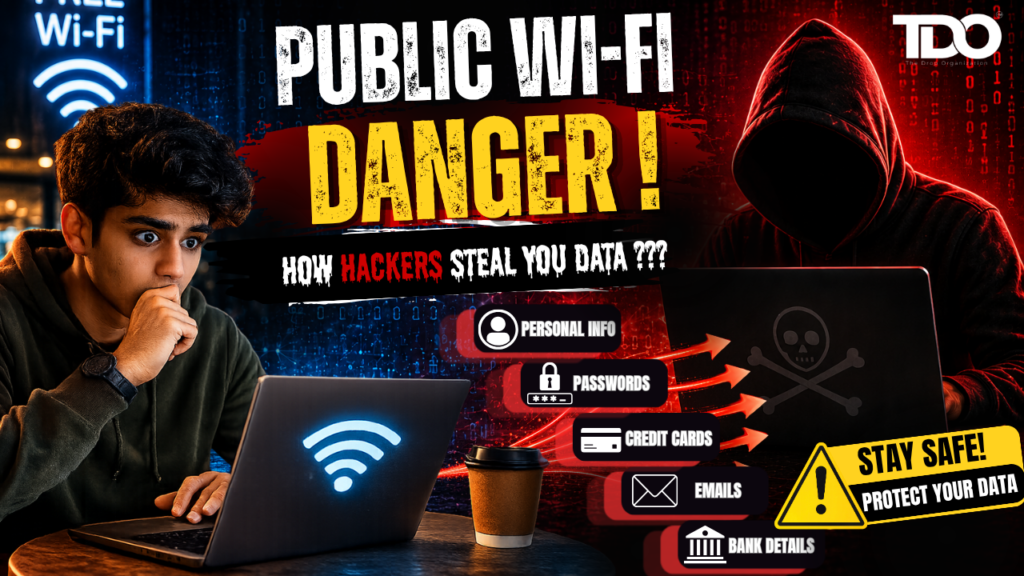
Protect your data with strong public Wi-Fi security. Learn how hackers exploit free networks and discover practical tips for safe internet browsing. Imagine yourself sitting in your favorite coffee shop. You order a coffee, open your laptop, and sign into the free public Wi-Fi network. You’re checking emails, online banking, scrolling through social media, maybe even making a digital payment in seconds. That sounds useful. It feels like it’s normal. It feels safe.
But what if, just a few tables away, someone is secretly watching what you do on the Internet? What if the Wi-Fi network you’re connected to isn’t really the café’s? What if your passwords, banking information and personal messages are being intercepted without your knowledge?
This isn’t a Hollywood cyber security scene. It happens every day, all over the world. Public Wi-Fi security networks are a regular part of modern life as the internet becomes more and more accessible. Free internet access is provided in airports, hotels, restaurants, shopping malls, railway stations, educational institutions and public spaces. These services are very convenient but they also have serious cybersecurity risks.
This is the reason why public Wi-Fi security has become one of the most relevant topics in cybersecurity in recent years. Most of us log on to public networks without giving much thought to the dangers. Unfortunately, cyber criminals are well aware of this behavior. They target public Wi-Fi users actively. Unsecured networks often offer easy opportunities to steal sensitive information.
It’s not only cybersecurity professionals who need to understand public Wi-Fi security anymore. Understanding how these networks operate and how hackers take advantage of them is essential for every student, professional, business owner, and internet user. In this guide we’ll explore the unseen dangers of public Wi-Fi, understand how hackers steal data and what you can do to stay safe when using public networks.
Also Read:- Cybersecurity for Students: Why Learning Digital Security Is No Longer Optional in 2026
Why Is Public Wi-Fi Everywhere?
The desire to be connected to the Internet has never been greater. People need to access the internet for online classes, remote work, social media, banking, shopping, streaming services, as well as for communication purposes.
To attract customers and improve convenience, businesses frequently provide free Wi-Fi services. Today, you can find free internet access in airports, cafés, restaurants, hotels, libraries, colleges, shopping centers, railway stations and many such places. These services are easy, but they don’t always provide strong public Wi-Fi security. Many users think that if a network needs a password it must be secure.Unfortunately, that assumption is often incorrect.
Why Hackers Like Public Wi-Fi Networks?
Public Wi-Fi networks have become a favorite hunting ground for cybercriminals, as they offer something hackers always look for – access to a large number of potential victims in one place. From an airport, railway station, shopping mall, coffee shop or a college campus these networks typically have hundreds of connected devices at a time. Most users connect without a second thought about security, thinking that a publicly available network has to be safe. Sadly, that assumption can be dangerous.
Hackers know that public Wi-Fi networks are often set up for convenience rather than security. Public Wi-Fi networks often don’t have the sophisticated protection mechanisms protected home or corporate networks. This creates opportunities for attackers to intercept communications, monitor online activity and steal valuable data. For a cybercriminal, attacking a public Wi-Fi network can be a lot more effective than attacking people one at a time. To avoid falling victim to the various scams, anyone who regularly connects to free internet services should know how to secure their public Wi-Fi security.
Hackers are especially interested in:
- Login credentials
- Banking information
- Payment details
- Personal messages
- Email accounts
- Social media accounts
- Business communications
Public Wi-Fi networks are often poorly secured, and attackers can take advantage of the information with relatively little effort.
Most Common Security Threats on Public Wi-Fi
A lot of people think you need to be a master hacker to launch a cyber attack. In fact, some of the attacks against public Wi-Fi users are surprisingly simple. Let’s examine the most common threats.
1. Man in the Middle (MITM) Attacks
The Man-in-the-Middle attack is one of the most dangerous threats to public Wi-Fi security. In this attack, a hacker secretly inserts themselves between your device and the website or service you’re trying to visit. Your data has to go through the attacker’s system before it talks to the actual website you wanted to visit. This permits the hacker to:
- Read communications
- Capture passwords
- Monitor browsing activity
- Steal sensitive information
Most victims never know that they are under attack.
2. Rogue Wi-Fi Networks (Evil Twin Attacks)
Have you ever seen multiple public Wi-Fi networks with the same or similar names? For instance:
- CoffeeShop_FreeWiFi
- CoffeeShop_Guest
- CoffeeShop_Public
Cybercriminals often set up fake networks that look a lot like real ones. This technique is called an Evil Twin attack. A user connects to the attacker’s network thinking it is legitimate. Once the hacker is connected, he may:
- Monitor internet activity
- Capture login credentials
- Redirect users to malicious websites
- Install malware
This attack highlights the importance of education on public Wi-Fi security.
3. Packet Sniffing
Data sent over a network is broken down into small pieces called packets. Data transmitted over a network is broken down into small pieces called packets. Packet-sniffing tools are used by hackers to capture and analyze this data. Attackers can potentially intercept weak public networks usernames, passwords, browsing history, emails or session tokens.
Encryption helps to reduce this risk, but many users still visit insecure websites and apps. Strong public Wi-Fi security practices help minimize exposure to packet-sniffing attacks.
4.Malware Distribution
Public Wi-Fi networks can also be a delivery mechanism for malware. Attackers might redirect users to infected websites, exploit browser vulnerabilities or trick users into downloading malicious files. Once installed, malware can record keystrokes, steal data, encrypt files and even monitor activities. This makes public Wi-Fi security an essential aspect of cybersecurity awareness in general.
5. Session Hijacking
When you log into a website , the website creates a session that keeps you logged in. Sometimes hackers can steal these session tokens. If they succeed, they might gain access to your social media accounts, your email accounts and your business applications too. No password needed. This type of attack is particularly insidious, as victims often do not know they have been compromised until after the event.
Real Life Examples of Public Wi-Fi Attacks
Public Wi-Fi attacks are not just theory. Cybercriminals have exploited public networks repeatedly in airports, hotels, cafés, conferences & universities. Security researchers have shown how an attacker can listen in on user data within minutes of connecting to an insecure network. These incidents are a reminder that you should never ignore public Wi-Fi security.
How to Stay Safe on Public Wi-Fi?
Luckily, protecting yourself is easier than you might think. A few simple habits can go a long way toward improving public Wi-Fi security:
- Use a VPN (virtual private network)
Your internet traffic is encrypted before it leaves your device by a VPN. Even if they have access to the data they will not be able to read it easily. Benefits include:
- Encrypted communication
- Increased privacy
- Protection against interception
- Safer browsing
One of the best ways to improve public Wi-Fi security is using VPNs.
2. Don’t Access Sensitive Accounts
Whenever possible, avoid logging into your internet banking, investment accounts, payment gateway or business systems and specially on public networks. If access is necessary, ensure additional security measures are in place.
3. Authenticate the Network
Before you connect to any network, always:
- Check the official network name
- Ask staff for the Wi-Fi details
- Do not use networks with similar names
This simple step will help you to avoid Evil Twin attacks.
4. Utilize Multi-Factor Authentication (MFA)
MFA provides an extra layer of protection. Even if attackers steal passwords, they still need OTP code, authentication app approvals or security key verification. MFA greatly enhances public Wi-Fi security.
5. Keep Devices Updated
Often security patches are bundled into software updates. Always update your operating systems, browsers, applications and security software. Older systems are more vulnerable to attack.
Public Wi-Fi Security for Students
Students are among the biggest users of public Wi-Fi. They frequently connect through college campuses, libraries, cafeterias or shared housing. Only a few students are aware of the risks of cyber security. This is especially crucial in educational environments where the public Wi-Fi security is a concern. Hence, students need to learn:
- Safe browsing practices
- Password management
- Device protection
- Threat recognition
Awareness of cybersecurity can prevent serious consequences for your personal and academic life.
Why Does Cybersecurity Education Matters?
Many cyber attacks are successful not due to technology failure but lack of user awareness. Education in cybersecurity helps individuals:
- Identify risks
- Make informed decisions
- Protect personal information
- Build safer online habits
That’s why cybersecurity training is becoming more and more valuable.
Your Cybersecurity Learning with The Drop Organization (TDO)
As cyber threats are always changing, practical cybersecurity learning is now more important than ever. The Drop Organization (TDO) is an organization that provides students and professionals an opportunity to learn cybersecurity skills that are relevant to the industry through structured learning programs.
DCSC – Drop Certified Security Course
DCSC offers hands-on training in the following areas: Ethical hacking, Network security, Vulnerability assessment, Web security, Cyber defense and many more. The revised DCSC structure provides flexible learning plans to allow for accessibility of cybersecurity education at different learner stages.
THT – The Hack Track
THT helps beginners build strong foundations in: Cybersecurity concepts, Security tools, Linux basics, Ethical hacking techniques and many more. The programs help students learn offensive and defensive cybersecurity strategies.
Public Wi-Fi Security: The Next Step
As technology advances public networks will continue to evolve. Emerging technologies such as:
- AI-driven security systems
- Zero Trust architecture
- Advanced encryption
- Threat detection platforms
will improve protection. But attackers are also becoming more sophisticated. This means personal awareness will continue to be one of the most important aspects of public Wi-Fi security.
Final Thoughts
Free internet access might be convenient but it should not be at the expense of security. Public networks expose users to various cyber threats including: Man-in-the-Middle attacks, Fake Wi-Fi hotspots, Packet sniffing, Malware infections, Session hijacking, and many such tactics. Being aware of the public Wi-Fi security can help users make better choices and protect their personal information.
Keep these simple principles in mind- Utilize a VPN- Verify network authenticity- Enable MFA- Avoid sensitive transactions- Keep devices updated- Stay cybersecurity aware.
The internet is a powerful tool, but using it safely requires knowledge and vigilance. And for those who want to develop deeper cybersecurity skills, programs like DCSC and THT from The Drop Organization (TDO) provide practical training that helps learners understand modern cyber threats and build a secure digital future.
Stay connected—but stay secure.
Found This Blog Helpful? Let’s Stay Connected!
Want to start your learning journey on Cyber Security and Ethical Hacking field?
