
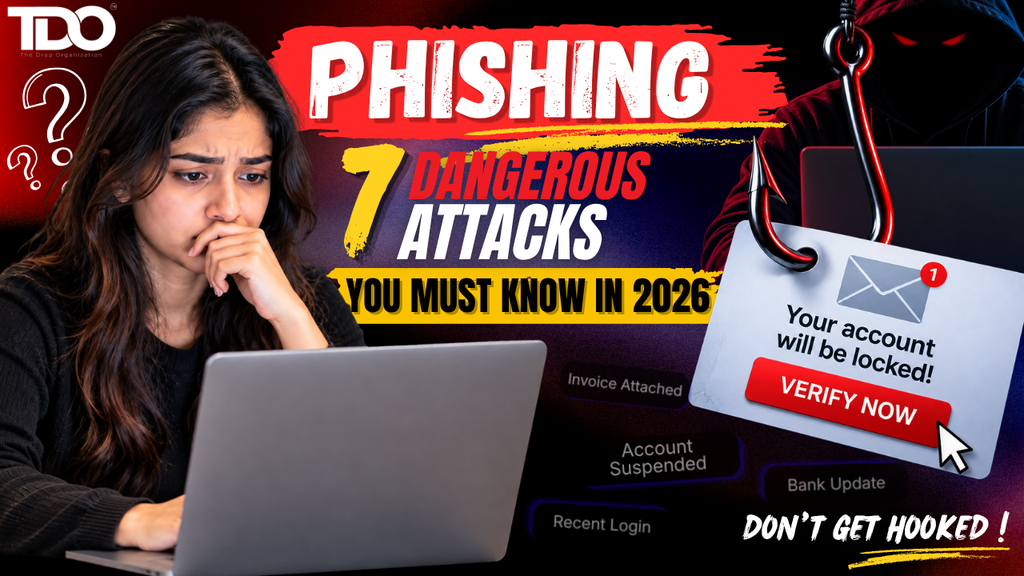
Discover what phishing is, how modern phishing attacks work, and the 7 dangerous phishing attacks you should recognize in 2026, from email phishing and smishing to vishing, QR scams, and AI-powered threats. Let’s say you get an email that looks like it’s from your bank where the logo is correct and the colors seem familiar. The message says it has found suspicious activity on your account and asks you to verify your identity right now.
You click the button & see a login page. It looks almost exactly like the actual banking website. You type in your username and password thinking that you are just protecting your account and within a couple minutes later the attacker has what they wanted.
What you have just seen is one of the most common types of phishing attacks & the frightening part is that you don’t necessarily need to be careless or inexperienced to become a victim.
Modern phishing attacks are more personalized, professionally designed, automated, and delivered on channels people naturally trust.
Microsoft Threat Intelligence identified about 8.3 billion email phishing attacks in the first quarter of 2026. QR-code phishing proved to be the fastest-growing attack vector during this time. The threat was carried into the second quarter. From April to June 2026, Microsoft identified around 7.6 billion phishing emails as attackers broadened their targeting of workplace platforms and voice-based social engineering.
These numbers are not meant to scare you. They point to something much more useful: Understanding phishing attacks has become a basic digital-safety skill.
So what is phishing? How do these attacks function? And if everyone knows about phishing, why do people still fall for them? And most importantly, what can you do to protect yourself? Let’s break it down.
Also Read:- How to Secure Your Google Account: 7 Powerful Google Account Security Settings You Should Change Today
What Are Phishing Attacks?
Phishing attacks are cyberattack where criminals pose to be a trusted person, organization, company, platform, or service to trick someone into giving away sensitive information, clicking a malicious link, downloading dangerous content, transferring money, or gaining access to an account. In simple terms, the attacker creates a situation in which you think: “This is legitimate.”
And then asks you to do something that will help them. This action can be entering a password, sharing an OTP, opening an attachment, approving a login request, scanning a QR code or making a payment.
Microsoft defines phishing attacks as an attempt to steal money or identity information by tricking users into providing sensitive information via websites or messages that look legitimate. This is why phishing attacks are closely connected to social engineering attacks. The attacker may use technology to deliver the message, but psychology often does much of the heavy lifting. Fear, urgency, curiosity, authority, greed, and trust can all become weapons.
Why Are Phishing Attacks So Successful?
If phishing attacks were such a huge problem, why do people simply disregard these suspicious messages Because they understand human behavior. Simply check out these two messages.
Message A: “Hello. Please review this document when convenient.”
Nothing particularly urgent.
Message B: “URGENT: Your bank account will be permanently suspended in 15 minutes. Verify your identity immediately.”
The second message is a pressure point. Your brain begins to think: “What if this is real?” That’s the window the burglar is after.
The newer phishing scams are designed to close the gap between receiving the message and acting on it. The less time you spend analyzing the situation, the greater the possibility that you’ll make an impulsive decision. And attackers have become better at creating believable situations. The message may mention your employer, a recent purchase, a service you use or a topic that is in the news. The attack does not have to be obviously fake. It just has to look real enough.
The Evolution of Phishing Attacks in 2026
Phishing attacks were once dubious emails asking you to click on a strange link. This still occurs. But phishing attacks have expanded far beyond the inbox. Today, you may be the victim of phishing by email, SMS, phone calls, QR codes, social media, collaboration platforms, fake login pages, malicious advertisements, messaging applications & AI-generated content.
Microsoft’s 2026 threat reporting demonstrates the way fast attackers can pivot delivery methods. Its Q2 report also found ongoing growth in Teams-based social engineering and vishing, while QR-code phishing experienced large fluctuations following the disruption of a large phishing-as-a-service ecosystem.
Similarly, Barracuda found that phishing comprised 48% of malicious email activity in its January 2026 dataset in its 2026 Email Threats Report, with 90% of high-volume phishing campaigns utilizing phishing-as-a-service kits. Thus, a phishing attack is no longer just: “Someone sends you a suspicious email. It’s becoming an ecosystem.
7 Phishing Attacks to Watch Out for in 2026
Now, let us talk about 7 major types of phishing attacks that average users and businesses should be aware of.
1.Email Phishing Attacks: The Old-School Attack That Still Works
Let’s start from the most familiar form.
Email phishing attacks involve sending fraudulent emails that appear to come from a legitimate company, organization, colleague or service. You may receive an email that appears to be from your bank, Google, Microsoft, Amazon, your employer, a courier company, a university, a social media platform or a government organization.
Usually, the message will include some sort of request where you may be asked to confirm your account or maybe your payment failed or maybe your subscription is expiring or perhaps a document needs to be reviewed or maybe some suspicious activity has been spotted. The story is different but the aim is the same: Get you to interact with something controlled by the attacker.
Microsoft says suspicious messages often contain urgent calls to action or threats and recommends that users avoid clicking on links or opening attachments in suspicious messages, but instead visit the legitimate website of the organization independently.
Want to know if an email is a scam? Pay attention to combinations of:
- Unexpected urgency
- Unusual sender addresses
- Suspicious links
- Unexpected attachments
- Requests for passwords or financial information
- Threatening language
- Unusual payment requests
- Slightly altered domain names
However, there’s an important lesson in 2026. Don’t rely on bad grammar alone. With the help of AI, tools can make scam messages look much better than old phishing attack emails. Good grammar is not proof of legitimacy.
2. Spear Phishing Attacks: When the Attack Is Custom-Made for You
Regular phishing attacks generally involve mass campaigns. Whereas spear phishing attacks are more focused. Instead of sending the same message to thousands of random people, attackers could research a specific person and create a personalized message.
Think about getting a text: “Hello Ananya, I saw your presentation at the meeting on Monday. “Can you review the file attached? We have a call with the client tomorrow.” That seems different from: “Dear customer, click this link.”
Information might have been received from the attacker:
The attacker may have gathered information from: LinkedIn, Company websites, Social media, Public records, Previous data breaches or Professional profiles. They use those details to create credibility. That’s why spear phishing attacks can be particularly dangerous for employees, executives, researchers, entrepreneurs, journalists, students and professionals with public profiles.
The attacker would like you to think: “This is a random scam.” They want you to believe: “This individual knows me.” And that’s a key lesson in social engineering attacks: Familiarity is engineerable.
3. Smishing: When Your Cell Phone is Phished
You get a text message. “We were unable to deliver your parcel. Update your address immediately.” There is a link underneath. You touch it & a website opens up. It asks for your name, address, telephone number, and perhaps your payment information.
Welcome to smishing.
It is a mix of SMS + phishing. Smishing are generally phishing attacks conducted via text message or other mobile messaging channels. This method works because people generally treat text messages differently than emails. You may be suspicious of an email from an unknown address. Whereas a text message on your personal phone can be more personal and immediate. And this is what attackers are exploiting.
Verizon’s 2026 DBIR found that mobile devices are becoming more attractive targets, with a 40% higher click rate for mobile-centric social engineering than traditional email phishing attacks in its analysis. Common smishing themes include:
- Bank alerts
- Delivery notifications
- Refund messages
- Account suspension warnings
- Job offers
- Tax-related messages
- Prize notifications
- Payment failures
- Fake customer-support messages
Your best defense is if a text says it is from your bank, delivery company or other service, don’t just click on the link. Rather, go ahead and open the official app. Or type the known website of the organization into your browser. That small change can eliminate many opportunities for phishing attacks to get to your sensitive information.
4. Vishing: The Phishing Attack That Calls You
But imagine instead you get a phone call instead of a text. The person says: “Hello, this is your bank’s fraud department.” They know your name & your bank account. They might even know the last few digits of your card. Then they say: “We’ve detected a suspicious transaction and need to verify your account.” The caller sounds professional. Perhaps they even sound concerned. Then the plea comes: “Please tell me the OTP that we just sent to you.”
Stop. This could be vishing, or voice phishing attacks.
Vishing is a type of phishing attack that involves voice or phone calls to deceive people into disclosing sensitive information or taking actions that benefit attackers.
In its Q2 2026 report, Microsoft said that by the end of the quarter, weekly malicious call attempts seen in Teams-based social engineering had grown to nearly 10 times the baseline established in mid-2025.
It’s a good reminder that phishing attacks aren’t just in email inboxes. It’s getting into the channels of communication that people trust. Here’s something to remember: Just because someone knows some info about you doesn’t mean they’re legit. If you receive an unsolicited call requesting sensitive authentication information, hang up and contact the organization directly using a known official channel.
5. QR Code Phishing: Don’t Automatically Trust a QR Code
QR codes are now part of everyday life. You scan them for payment, read menus, register for events, access websites, download apps or view documents. And it’s their convenience that makes them appealing to attackers.
QR-code phishing attacks, also known as quishing, involve malicious or deceptive QR codes that lead victims to phishing sites. The interesting part is that you might not see the destination before scanning. That’s different than mousing over a link and inspecting its URL.
Microsoft found QR-code phishing attacks to be the fastest-growing attack vector in Q1 2026. Barracuda found that over 70% of the malicious PDFs in its January 2026 dataset contained QR codes pointing to phishing websites.
Where might “quishing” appear? Potential examples include:
- Fake parking notices
- Fake payment posters
- Delivery notices
- Restaurant advertisements
- Event materials
- Fraudulent invoices
- Emails containing QR codes
The main lesson is simple: A QR code is just another kind of link. Just scanning it doesn’t make the destination safe by default. Check where the QR code is taking you before entering credentials or financial information.
6. Business Email Compromise: When Trust Is the Target
Some phishing attacks aren’t really about getting your password. They are about taking money.
Business Email Compromise, or BEC, is when someone pretends to be or has a compromised account to trick an employee into doing something that benefits the criminals. Picture a finance department employee receiving: “I’m traveling today and need the vendor payment completed immediately. Please use the new bank details attached.”
The email is from a person claiming to be a senior executive. The employee shall pay the fee. Later the company discovered the message was never sent by the executive. The attacker exploited trust and business processes.
Verizon’s 2026 DBIR highlights social engineering as a core aspect of the modern threat landscape and emphasizes that people and processes, as well as technical vulnerabilities, continue to be the focus of attackers. Businesses can reduce BEC risk by:
- Verifying unusual payment requests independently
- Requiring multiple approvals for high-value transfers
- Confirming bank-account changes through another communication channel
- Using strong authentication
- Training employees to recognize impersonation
- Encouraging rapid reporting of suspicious messages
The lesson applies outside businesses too. If you are asked to transfer money unexpectedly, verify before you believe.
7. AI-Powered Phishing Attacks: The New Threat You Can’t Ignore
This is where phishing attacks become more interesting in 2026. Artificial intelligence can help attackers craft more convincing messages, personalize, translate, automate campaigns and generate impersonation material that is believable. The old rule was if the email has terrible grammar, it’s probably a scam. That rule is becoming much less useful.
The 2026 Verizon DBIR shows that generative AI is now being leveraged to augment 15% of different attack techniques and attackers are using AI throughout their operations. At the same time, Microsoft has reported more automated and multi-stage phishing campaigns.
AI doesn’t mean all phishing messages are inherently sophisticated. But it reduces the barrier for attackers to produce plausible content at scale.
What should you do?
Don’t just ask: “Does this message sound professional?”
Rather ask: “Was I expecting this?” “Does it make sense to ask for this? “Can I verify it independently?” “Is this a way to make me give up information or do something unusual?” That shift from appearance-based trust to verification-based trust is extremely important for modern phishing protection.
How to Spot Phishing Attacks?
You don’t have to comb through every email like a cybersecurity analyst. Build a couple of simple habits instead to identify phishing attacks:
- Look for urgency: If a message is telling you to act immediately, stop. Urgency is one of the most used psychological weapons in phishing attacks.
- Verify the sender: Don’t believe the display name. Check the email address or the real account.
- Check the link: Hover your mouse over a link before clicking. If you are on a phone be very careful, you may not be able to check the destination easily.
- Think about the request: Ask- “Is this something this organization would typically ask me to do through this channel?”
- Be careful of attachments: Unexpected invoices, documents, ZIP files, and HTML files require more scrutiny.
- Watch out for unusual payment instructions: Any sudden change to bank account details should always be independently verified.
- Don’t trust what you see: A professional logo or a familiar name or a polished website doesn’t prove anything. Verification is more reliable than appearance.
Phishing Attacks vs Spam – What’s the Difference?
Not exactly. Spam is a general term for any unwanted or unsolicited message. Phishing attacks are tricks to get a person to do something such as give up information, click on something malicious, send money or any other action that will benefit the attacker.
For instance: A company that sends you ten unwanted ads might be spam but a fake bank email asking for your password is phishing. Phishing messages are sometimes distributed as spam campaigns, but not all spam are phishing attacks. So knowing the difference helps you focus on the real security risk.
How TDO Connects Phishing Awareness to Cybersecurity Learning?
Understanding phishing attacks is also a useful starting point for anyone interested in cybersecurity as a career.
The Drop Organization (TDO) is a practical cybersecurity and ethical-hacking training organization that offers The Hack Track, DCSC, and DCMC training. TDO explains its learning approach as practical and focused on simulations, tools and understanding vulnerabilities rather than simply memorizing cybersecurity concepts. That approach is especially relevant to phishing attacks because cybersecurity isn’t just about learning definitions.
A learner should be able to comprehend:
- What does the attacker want to achieve?
- How is the victim being manipulated?
- What technical mechanism supports the attack?
- How can defenders identify suspicious activity?
- How can businesses reduce the risk?
- What should happen after an incident?
This is where the importance of hands-on cybersecurity training is realized. Phishing attacks may seem easy but learning about it really teaches students about authentication, credential theft, social engineering, security awareness, incident response, email security and defensive controls.
A Simple Phishing Protection Checklist
Before clicking on an unexpected message, ask yourself: STOP!
S — Stop and slow down. Don’t let urgency drive your decision.
T – Think about the request. Does it make sense? Were you expecting it?
O — Observe the sender and destination. Check the real address and URL.
P — Proceed only when verified. If things seem out of the ordinary, use an independent channel.
You can also keep these rules in mind to protect yourself from phishing attacks:
- Never give passwords or OTPs on request.
- Do not click on unexpected links for login.
- Never blindly trust QR codes.
- Confirm unusual payment requests.
- Please upgrade your devices.
- Use MFA or passkeys.
- Report suspicious messages
- If you make a mistake, report it promptly rather than cover it up.
These habits can make a huge difference.
Final Thoughts: Think Before You Trust
The reason phishing attacks work is that it encourages people to act fast.
Click here. → Pay now. → Check now. → Send the code now. → Download it now.
Often the reverse is the best answer:
Hold on. → Look closer. → Question the request. → Check the sender. → Verify the destination. → Open the official app by yourself. → Contact the organization directly. → Ask someone you trust.
A little hesitation can ruin the whole strategy of the attacker.
The cybersecurity landscape is changing rapidly in 2026. Microsoft has reported billions of phishing attacks in the first and second quarter of the year and Verizon’s latest DBIR highlights the growing role of mobile social engineering and AI-assisted attack techniques. But you don’t need to be a cybersecurity expert to protect yourself. Begin with consciousness and understand how phishing attacks actually work.
Understand the difference between email phishing, spear phishing, smishing, vishing, QR-code phishing, BEC, and AI-powered phishing.
Use strong authentication. Keep your software up to date. And above all, trust but verify. Because the most dangerous phishing attack message is not always the obviously fake one. Sometimes, it’s the one that looks just real enough to make you stop questioning it. And in 2026, recognizing that difference is one of the most practical cybersecurity skills anyone can develop.
What is a phishing attack?
A phishing attack is a deceptive cyberattack in which criminals impersonate a trusted person, organization, or service to persuade victims to reveal sensitive information, click malicious links, download harmful content, transfer money, or provide account access.
What are the most common phishing attacks?
Common phishing attacks include email phishing, spear phishing, smishing, vishing, QR-code phishing, business email compromise, and AI-assisted phishing.
What is the difference between phishing and smishing?
Phishing is the broader category of deceptive attacks, while smishing specifically refers to phishing delivered through SMS or text-based messaging.
Can AI be used for phishing?
Yes. AI can assist attackers with generating and personalizing content, translating messages, automating campaigns, and supporting impersonation. Verizon’s 2026 DBIR reports that 15% of different attack techniques are being augmented by generative AI.
What should I do if I clicked a phishing link?
f you clicked a link but didn’t enter information, close it and avoid further interaction. If you entered a password, change it immediately through the legitimate service and change it elsewhere if reused. If you disclosed financial or authentication information, contact the relevant organization immediately and monitor the account.
Stay Alert. Stay Secure.
Want to start your learning journey on Cyber Security and Ethical Hacking field?
