
What Are Phishing Attacks? 7 Dangerous Phishing Attacks You Must Know in 2026
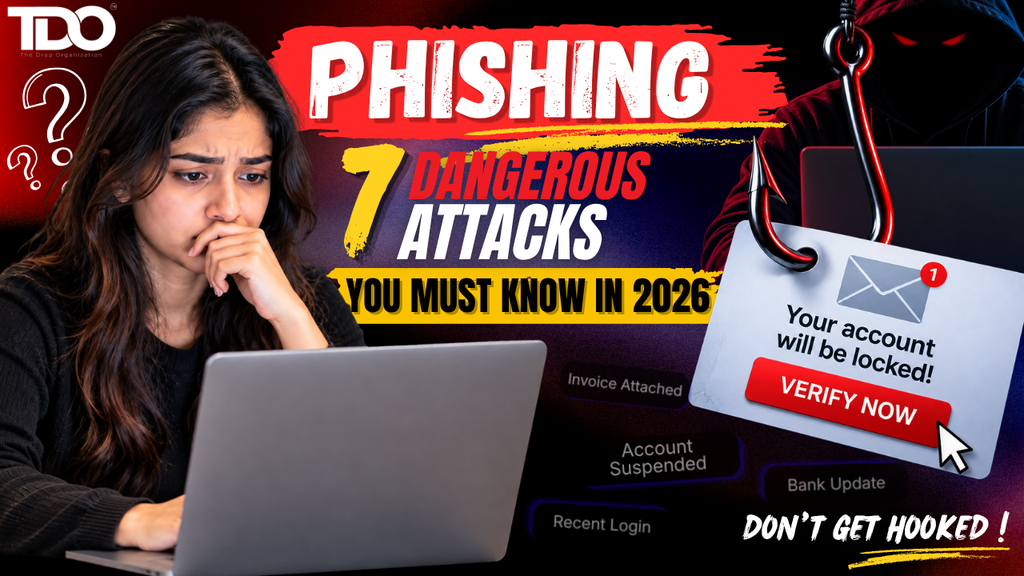
Discover what phishing is, how modern phishing attacks work, and the 7 dangerous phishing attacks you should recognize in 2026, from email phishing and smishing to vishing, QR scams, and AI-powered threats. Let’s say you get an email that looks like it’s from your bank where the logo is correct and the colors seem familiar. The message says it has found suspicious activity on your account and asks you to verify your identity right now. You click the button & see a login page. It looks almost exactly like the actual banking website. You type in your username and password thinking that you are just protecting your account and within a couple minutes later the attacker has what they wanted. What you have just seen is one of the most common types of phishing attacks & the frightening part is that you don’t necessarily need to be careless or inexperienced to become a victim. Modern phishing attacks are more personalized, professionally designed, automated, and delivered on channels people naturally trust. Microsoft Threat Intelligence identified about 8.3 billion email phishing attacks in the first quarter of 2026. QR-code phishing proved to be the fastest-growing attack vector during this time. The threat was carried into the second quarter. From April to June 2026, Microsoft identified around 7.6 billion phishing emails as attackers broadened their targeting of workplace platforms and voice-based social engineering. These numbers are not meant to scare you. They point to something much more useful: Understanding phishing attacks has become a basic digital-safety skill. So what is phishing? How do these attacks function? And if everyone knows about phishing, why do people still fall for them? And most importantly, what can you do to protect yourself? Let’s break it down. Also Read:- How to Secure Your Google Account: 7 Powerful Google Account Security Settings You Should Change Today What Are Phishing Attacks? Phishing attacks are cyberattack where criminals pose to be a trusted person, organization, company, platform, or service to trick someone into giving away sensitive information, clicking a malicious link, downloading dangerous content, transferring money, or gaining access to an account. In simple terms, the attacker creates a situation in which you think: “This is legitimate.” And then asks you to do something that will help them. This action can be entering a password, sharing an OTP, opening an attachment, approving a login request, scanning a QR code or making a payment. Microsoft defines phishing attacks as an attempt to steal money or identity information by tricking users into providing sensitive information via websites or messages that look legitimate. This is why phishing attacks are closely connected to social engineering attacks. The attacker may use technology to deliver the message, but psychology often does much of the heavy lifting. Fear, urgency, curiosity, authority, greed, and trust can all become weapons. Why Are Phishing Attacks So Successful? If phishing attacks were such a huge problem, why do people simply disregard these suspicious messages Because they understand human behavior. Simply check out these two messages. Message A: “Hello. Please review this document when convenient.” Nothing particularly urgent. Message B: “URGENT: Your bank account will be permanently suspended in 15 minutes. Verify your identity immediately.” The second message is a pressure point. Your brain begins to think: “What if this is real?” That’s the window the burglar is after. The newer phishing scams are designed to close the gap between receiving the message and acting on it. The less time you spend analyzing the situation, the greater the possibility that you’ll make an impulsive decision. And attackers have become better at creating believable situations. The message may mention your employer, a recent purchase, a service you use or a topic that is in the news. The attack does not have to be obviously fake. It just has to look real enough. The Evolution of Phishing Attacks in 2026 Phishing attacks were once dubious emails asking you to click on a strange link. This still occurs. But phishing attacks have expanded far beyond the inbox. Today, you may be the victim of phishing by email, SMS, phone calls, QR codes, social media, collaboration platforms, fake login pages, malicious advertisements, messaging applications & AI-generated content. Microsoft’s 2026 threat reporting demonstrates the way fast attackers can pivot delivery methods. Its Q2 report also found ongoing growth in Teams-based social engineering and vishing, while QR-code phishing experienced large fluctuations following the disruption of a large phishing-as-a-service ecosystem. Similarly, Barracuda found that phishing comprised 48% of malicious email activity in its January 2026 dataset in its 2026 Email Threats Report, with 90% of high-volume phishing campaigns utilizing phishing-as-a-service kits. Thus, a phishing attack is no longer just: “Someone sends you a suspicious email. It’s becoming an ecosystem. 7 Phishing Attacks to Watch Out for in 2026 Now, let us talk about 7 major types of phishing attacks that average users and businesses should be aware of. 1.Email Phishing Attacks: The Old-School Attack That Still Works Let’s start from the most familiar form. Email phishing attacks involve sending fraudulent emails that appear to come from a legitimate company, organization, colleague or service. You may receive an email that appears to be from your bank, Google, Microsoft, Amazon, your employer, a courier company, a university, a social media platform or a government organization. Usually, the message will include some sort of request where you may be asked to confirm your account or maybe your payment failed or maybe your subscription is expiring or perhaps a document needs to be reviewed or maybe some suspicious activity has been spotted. The story is different but the aim is the same: Get you to interact with something controlled by the attacker. Microsoft says suspicious messages often contain urgent calls to action or threats and recommends that users avoid clicking on links or opening attachments in suspicious messages, but instead visit the legitimate website of the organization independently. Want to know if an email is a scam? Pay attention to combinations of: However,